
Images can be uploaded to an FTP server as they’re taken – handy if you want an off-site backup of every photo from the event, separate from whatever sharing methods your guests use.
Setting it up
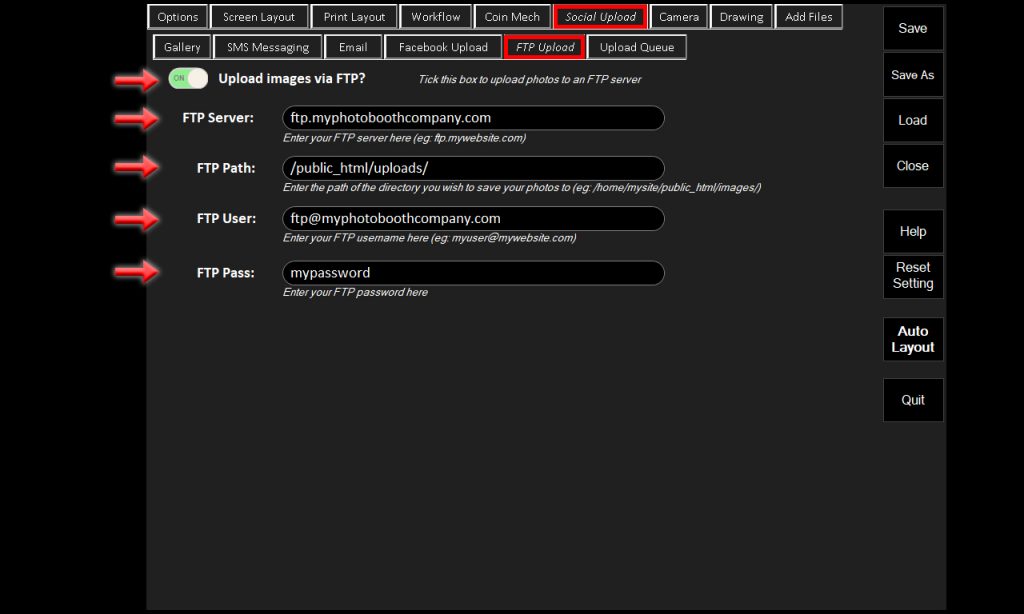
Open the Admin Panel and navigate to the Sharing tab, followed by the FTP tab, and enable the toggle.
Fill in your FTP server address, the upload path on that server, and your FTP username and password.
Once enabled, every photo taken uploads to that FTP location automatically in the background, alongside whatever other sharing methods you have enabled – it doesn’t replace them.