
Online Photo Booth Galleries for Every Event
A gallery per event · Your logo and colours · A QR code to share it
A gallery per event
Every photo uploads itself
Your look
Six presets, then make it yours
QR code included
For a sign or a sharing tablet
A report afterwards
Shares, views and demographics
Every event gets its own gallery
Give the event a name, switch the gallery on, and every photo taken at the booth uploads to that event’s own online album as it is captured. There is nothing for the guest to do and nothing extra on the booth screen — the gallery simply fills up in the background while they carry on sharing their photos the usual way.
It gives everyone somewhere to go back to after the night: the photos they took, the ones their friends took, and the ones they did not know they were in.
A link and a QR code, ready to use
The gallery’s link and a scannable QR code are in the Admin Panel the moment uploads are on, with buttons to copy the link or open it in a browser. Put the QR code on a printed sign by the booth, send the link to the client, or add it to the print itself.
Scan it on a spare tablet beside the booth and you have a sharing station: guests browse the whole event, find their own photos and send them to themselves, without holding up the queue at the booth.
Guests open the gallery in their phone’s browser, so there is no app to download before they can find their photos and share them.
Finding your gallery link and QR code shows exactly where it is.
Styled to look like yours
Start from one of six presets — Marquee, Filmstrip, Daylight, Neon, Confetti or Mono — and change the colours, the photo layout and styling, the privacy settings and which buttons guests see, with a live preview updating as you go.
Set a default look once and every gallery uses it, or style a single event differently when a client’s branding calls for it — and save that as your new default if it turns out better. Customise Gallery walks through every option.
The preview switches between desktop and mobile, so you can see exactly how the gallery will look on a guest’s phone before saving.

What you hand the client afterwards
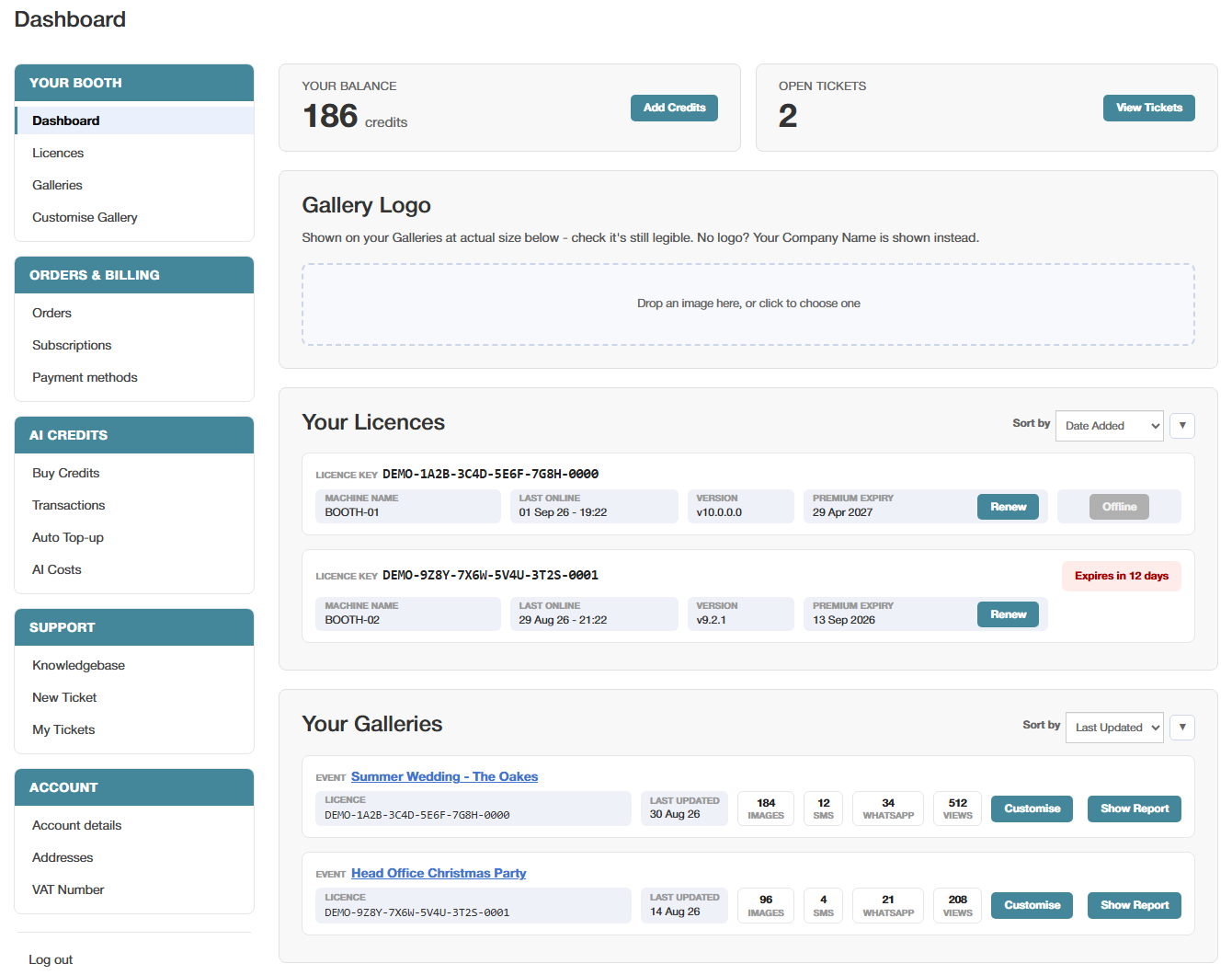
Every event’s gallery is listed in your online dashboard with its running totals: photos taken, SMS and WhatsApp shares sent, and gallery views. Open its report and there is far more — the delivery and read status of every SMS and WhatsApp share, every email address captured at the event, and audience demographics drawn from the photos themselves.
For a brand activation, that report is the part the client is paying to see. The full Data Capture Report exports as a spreadsheet. Your Galleries covers the dashboard side.
Each event sits in its own row showing the licence it came from and when it was last updated, with Customise and Show Report buttons beside it, and the list can be sorted so the latest events come first.
Try it on your own booth
The free trial runs for 30 days with every Premium feature switched on, galleries included, so you can run a test event and see its gallery fill before deciding.
Photos carry a watermark until the machine is licensed, and the trial is not licensed for live or commercial events, so use it to test the booth rather than to cover a booking.
See everything else the software does, or how photos also go straight to guests by WhatsApp.