
Find your Dashboard
Log in at boothjunkie.co.uk and go to Dashboard.
Good to know: Old “My Account” bookmark?
This is also where “My Account” used to point – if you have an old bookmark to a My Account page, update it to Dashboard instead.
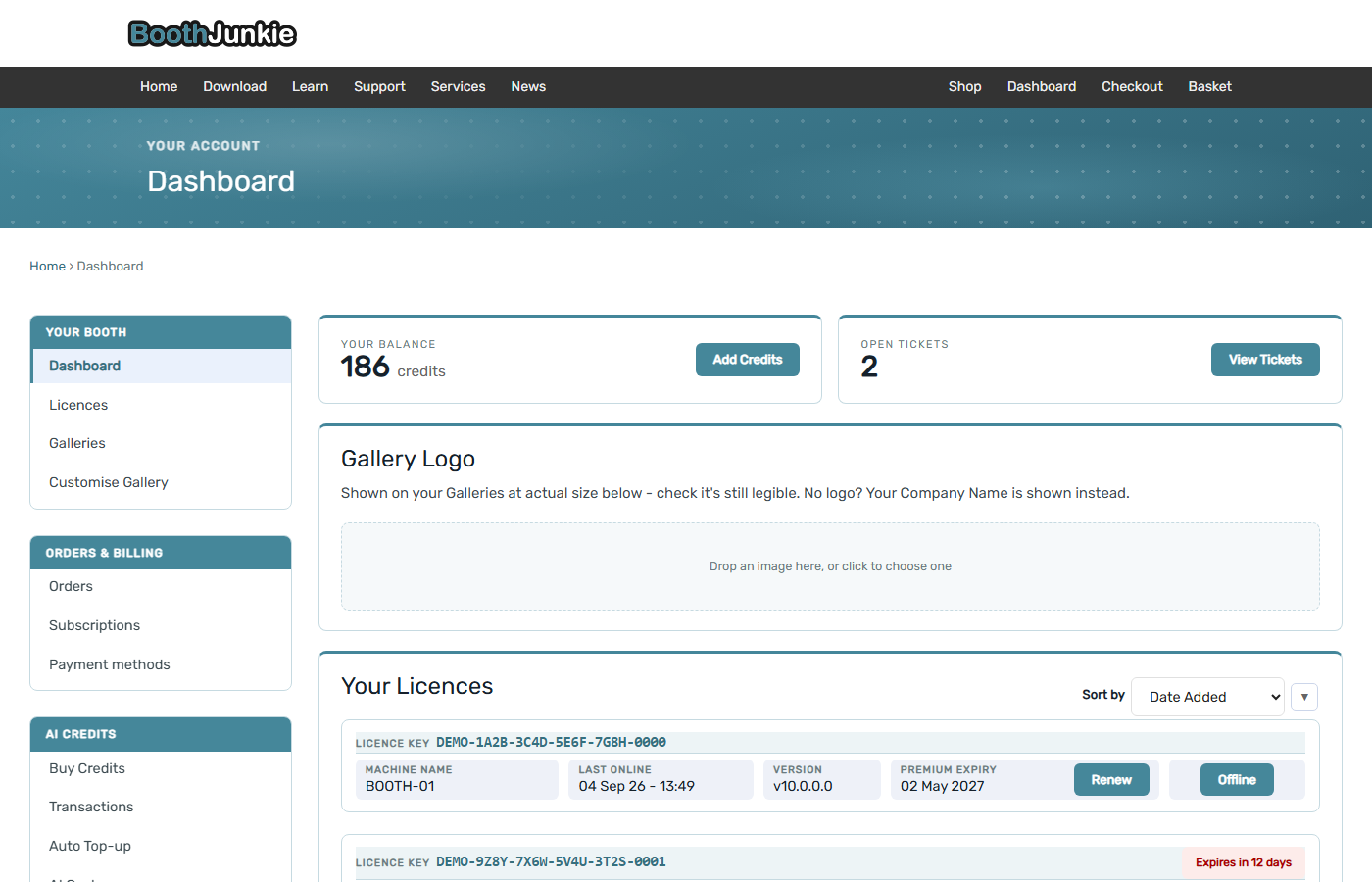
What’s on the main Dashboard page
| Card | What it shows |
|---|---|
| Your Balance | Your current AI credit balance, with a quick Add Credits button. |
| Open Tickets | How many support tickets you currently have open, with a link to view them. |
| Gallery Logo | Upload the logo shown on your event galleries; if you don’t set one, your company name is shown instead. |
| Your Licences | A summary of each licence on your account (see below). |
| Your Galleries | A summary of each event’s gallery (see below). |
Your Booth
The sidebar’s Your Booth section covers three areas, each with its own dedicated screen:
Licences
Every licence on your account, showing its licence key, machine name, when it was last online, its version, and its Premium expiry date. A licence that hasn’t checked in recently shows Offline; one close to expiring shows a countdown so you know to renew in good time.
Galleries and Customise Gallery
Every event’s online gallery in one list, and the controls for how they look – covered in their own articles: Your Galleries and Customise Gallery.
Orders & Billing, and Account
The remaining sidebar sections cover the parts of your account that work the same way as any online store:
| Section | Holds |
|---|---|
| Orders & Billing | Orders, Subscriptions, and Payment methods |
| Account | Account details, Addresses, and VAT Number |
AI Credits
Buying and managing AI credits has its own full set of articles – see How the AI Credit System Works as a starting point.
Support
Knowledgebase brings you back here. New Ticket and My Tickets open and track support requests with the Booth Junkie team directly from your account.