
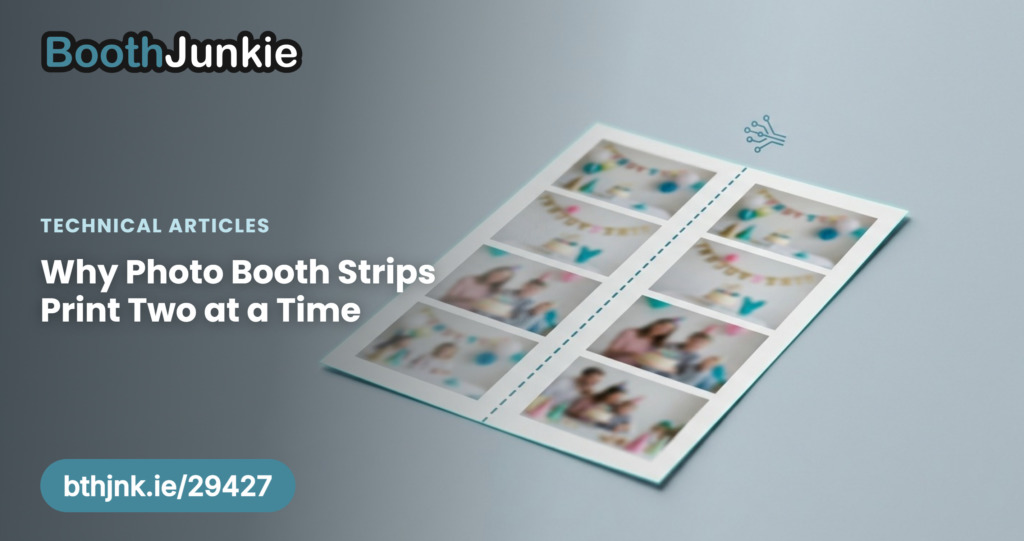
Almost every photo booth strip you’ve ever been handed exists as one half of a pair – two identical strips, cut from the same piece of paper. This isn’t a stylistic choice or a cost-cutting trick. It’s the only way a dye-sub printer can produce a strip at all without wasting most of what it just printed.
The printer doesn’t know what a “strip” is
A dye-sublimation printer – the type almost every photo booth uses – doesn’t print in arbitrary sizes. It prints onto a fixed media size, most commonly 6×4 inches, using a ribbon designed for exactly that size. A photo booth strip is 2×6 inches. There’s no such thing as a “2×6 dye-sub printer” in normal use – what actually happens is a 6×4 canvas gets used to print something narrower, and the rest of that canvas has to go somewhere.
Why the ribbon is the real constraint
A dye-sub ribbon isn’t ink you can meter out a little at a time. It’s a roll of film carrying one full set of colour panels (cyan, magenta, yellow, plus a protective overcoat) sized for one 6×4 print. The printer passes the paper under the ribbon multiple times – once per colour – building up the final image layer by layer. Once a panel has been used, that section of ribbon is spent, whether the print underneath it used the whole 6×4 area or a fraction of it.
Critically, printer manufacturers rate ribbon rolls by print count, not by area. A 400-print ribbon is rated for 400 6×4-sized panels used, full stop. Print a single 2×6 strip using one pass of that ribbon, and you’ve spent one whole print’s worth of ribbon on a piece of paper covering less than half the area – the same consumable cost as a full 6×4, for a fraction of the paper.
What operators actually do about it
Rather than eat that cost, operators lay out two identical 2×6 strip designs side by side on one 6×4 canvas, print it as a single 6×4 job, and cut the finished sheet down the middle. One ribbon panel, one sheet of paper, two finished strips.
The cut itself is usually a built-in printer feature (a cutter unit that slices at the halfway mark automatically) rather than something an operator does by hand after the fact.
In Booth Junkie you don’t lay out the pair yourself. You design a single strip on the Strip Prints tab of Print Layout, then switch on Print double strips on Options -> Print Settings. Each print then puts two copies of that strip on one 6×4 sheet. The Setup Wizard switches Print double strips on for you when you choose 6×4 paper for strips, and off when you choose 2×6 paper.
What happens to the second strip
This is entirely the operator’s call, and both are common:
- Both strips go to the guest – simply doubling their keepsake, handy when a couple wants one each or a group wants to share.
- One strip goes in a guestbook or album – especially common at weddings, where the second strip is stuck into a physical album that the couple keeps as a full record of every guest who used the booth that night, while guests keep the other.
Neither is more “correct” – it’s a business decision about what the event is for, not a technical requirement of the format.
Why this matters if you’re choosing a print size
Because the ribbon cost is identical either way, a 2×6 strip is never cheaper per print than a 6×4 – it’s the same consumable cost, split across two pieces of paper instead of concentrated in one. If you’re weighing up strip prints against a single larger print for an event, the real question isn’t “which uses less ribbon” – they use exactly the same amount – it’s how many finished keepsakes you want handed out per print job, and what layout best suits the event.