
Turn it on
Go to Admin Panel → Options → General. Below the Primary display setting, you’ll find:
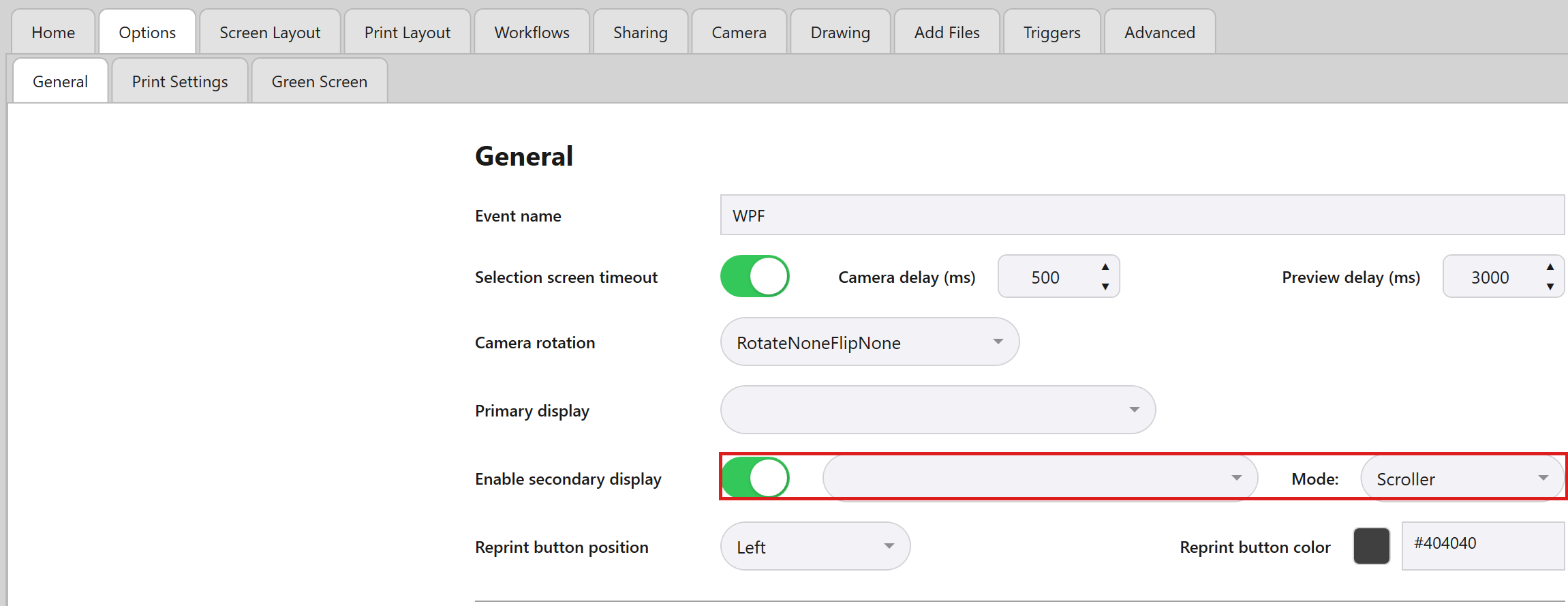
| Setting | What it does |
|---|---|
| Enable secondary display | The on/off switch for the whole feature. |
| A display picker | Lists whichever monitors are actually connected. |
| A Mode dropdown | Slideshow or Scroller. |
Good to know: Switch it on yourself
This has to be switched on manually – plugging in a second monitor doesn’t turn it on by itself, and it won’t let you pick the same screen as your Primary display.
The two modes
| Mode | What guests see |
|---|---|
| Slideshow | Shows one photo at a time, crossfading to the next every few seconds. Whenever a new photo is taken, it interrupts immediately with a brief flash effect, then holds on that new photo for a few seconds before returning to its normal rotation. |
| Scroller | A moving wall of photos in three lanes – a wide, slower-moving centre lane and two narrower, slightly faster side lanes, so the whole thing doesn’t scroll in perfect unison. New photos simply join the rotation without an interrupt effect. Early in an event, the side lanes stay empty until there are enough photos to fill them properly. |
What’s shown
Both modes only ever show finished photos from the current event – not an all-time archive, and not raw/in-progress captures, only whatever your guests actually finished and printed/shared.
Cycling speed and timing aren’t adjustable – the only choice you get is which of the two modes to use.