
Turn it on or off
Admin Panel → Sharing → Disclaimer has a toggle – “Show disclaimer before sending SMS or Email” (this also covers WhatsApp, despite the label). It’s switched on by default.
The switch only controls this popup before sharing. A Disclaimer step in a workflow always shows, whether the switch is on or off.
What guests see
A popup over the Print screen with your message, and two buttons – Continue and Cancel by default (you can rename both with Continue button text and Cancel button text).
| If the guest taps | What happens |
|---|---|
| Continue | It won’t reappear even if they go on to share the same photo a second way (SMS, then Email, for example). It only appears once per guest session. |
| Cancel | It will appear again if they try to share again. |
Write your own message
The built-in editor supports bold, italic, font colour, highlight colour, and font size, and you can paste in text from Word or a browser and keep its formatting. If you never touch this screen, guests still see a sensible default message rather than a blank popup.
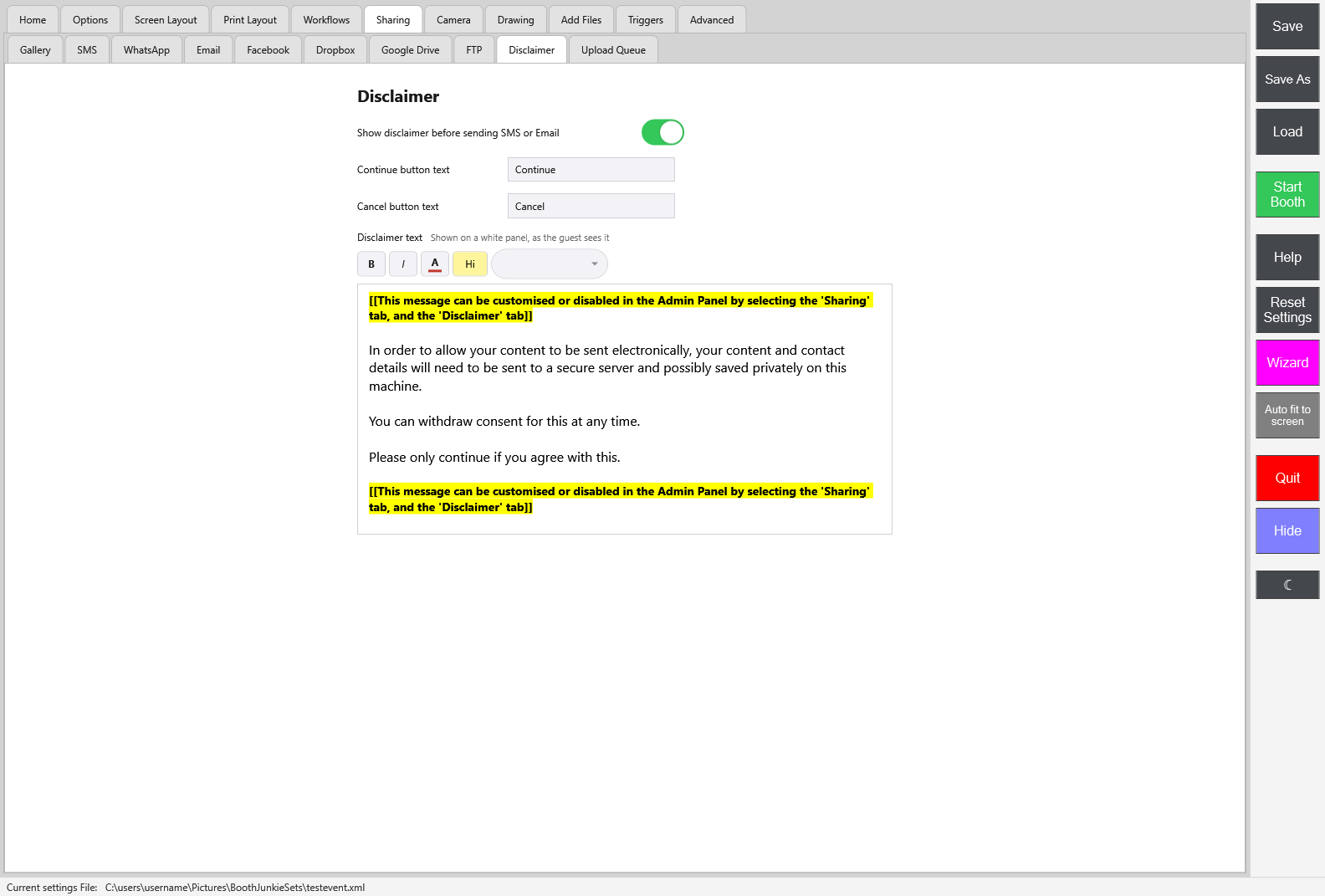
The editor is always white with black text, whichever theme the Admin Panel uses, because guests read the disclaimer on a white panel – the note beside Disclaimer text says “Shown on a white panel, as the guest sees it”. Pick text and highlight colours that read well on white.
Important: It looks bigger on the booth
The text appears three times larger on the actual booth screen than it does in this editor – what looks small while you’re editing will be correctly sized for guests. There’s no way to preview it at full size other than running a real session.
Ask earlier in the workflow
This popup appears automatically, just before a guest’s first share. If you’d rather ask for their agreement at a specific point in the workflow instead – before a Data Capture step, for example – add a Disclaimer step there; see Adding a Disclaimer Step to Your Workflow.
It shows this same message and these same buttons, and a guest who accepts there isn’t shown this automatic popup again later in the same session.
A few things worth knowing
- One toggle controls SMS, WhatsApp, and Email together – you can’t show it for only one of them
- There’s no record kept of which guest saw or accepted the disclaimer, beyond the current session