
Set it up
-
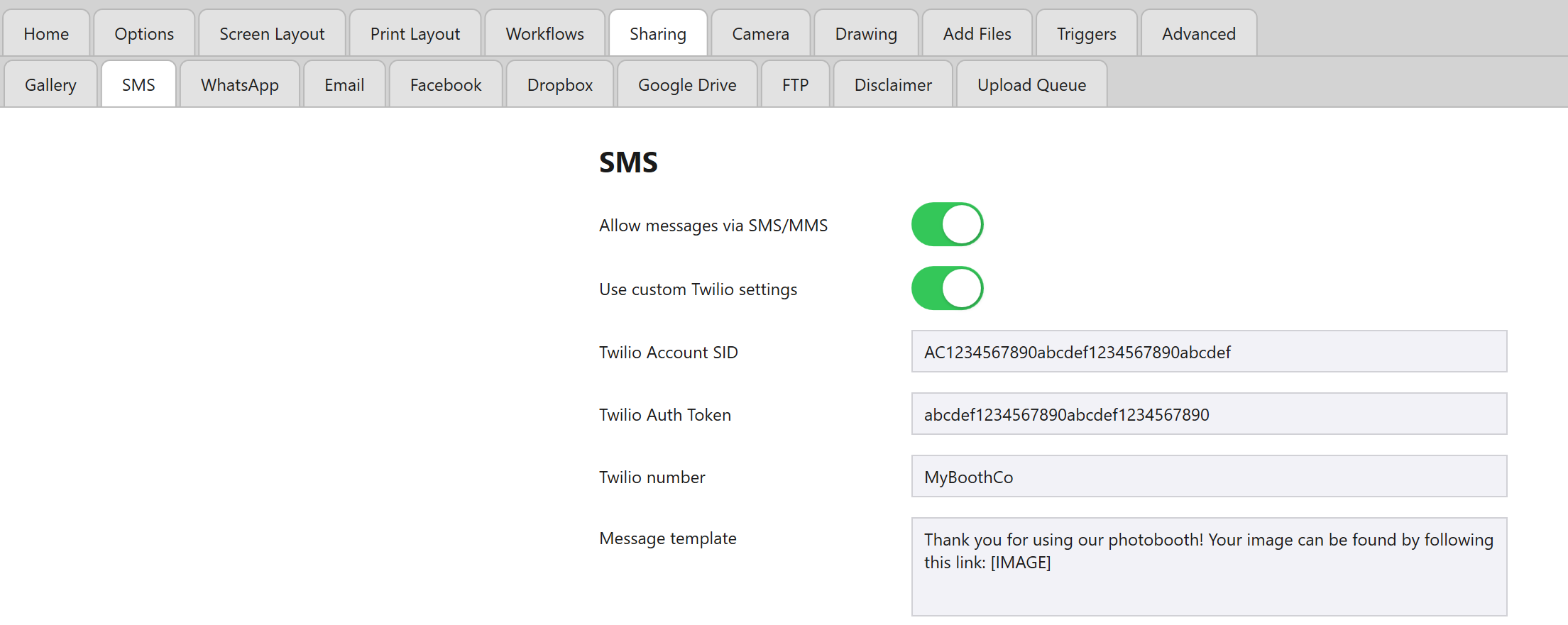
Open the Admin Panel and navigate to the Sharing tab, followed by the SMS tab, and switch on Use custom Twilio settings.
While it’s off, texts go through Booth Junkie’s own SMS service with its standard wording, and the Twilio boxes stay hidden.
-
Fill in your Twilio Account SID and Twilio Auth Token.
-
Enter the Twilio number you want messages sent from directly – copy it from your Twilio account exactly as it’s shown there, including the country code.
-
Customise the Message template to match how you want the message worded. Include
[IMAGE]somewhere in the template so the guest’s photo link is inserted into the message.
Premium: Leave the Account SID empty, and the text needs Premium
If Twilio Account SID is left empty, your own Twilio account and message template aren’t used, and the text needs an active Premium.
Tip: Use the guest’s name
The template can also include a Data Capture step’s token, such as {NAME}, which is replaced by what the guest answered – see Using a Guest’s Name in Prints, Messages and AI Prompts.