
How they fit together
Main Workflow is the outer loop – it’s what’s running before anyone’s picked a shot type, and what the booth returns to once a session finishes.
-
Main Workflow runs until a guest picks a shot type at Selection.
-
The booth switches to that shot type’s own workflow (Singleshot, Multishot, or Strip Print) for the rest of their session.
-
Once that inner workflow reaches its End step, the booth loads Main Workflow again, ready for the next guest.
Edit a workflow
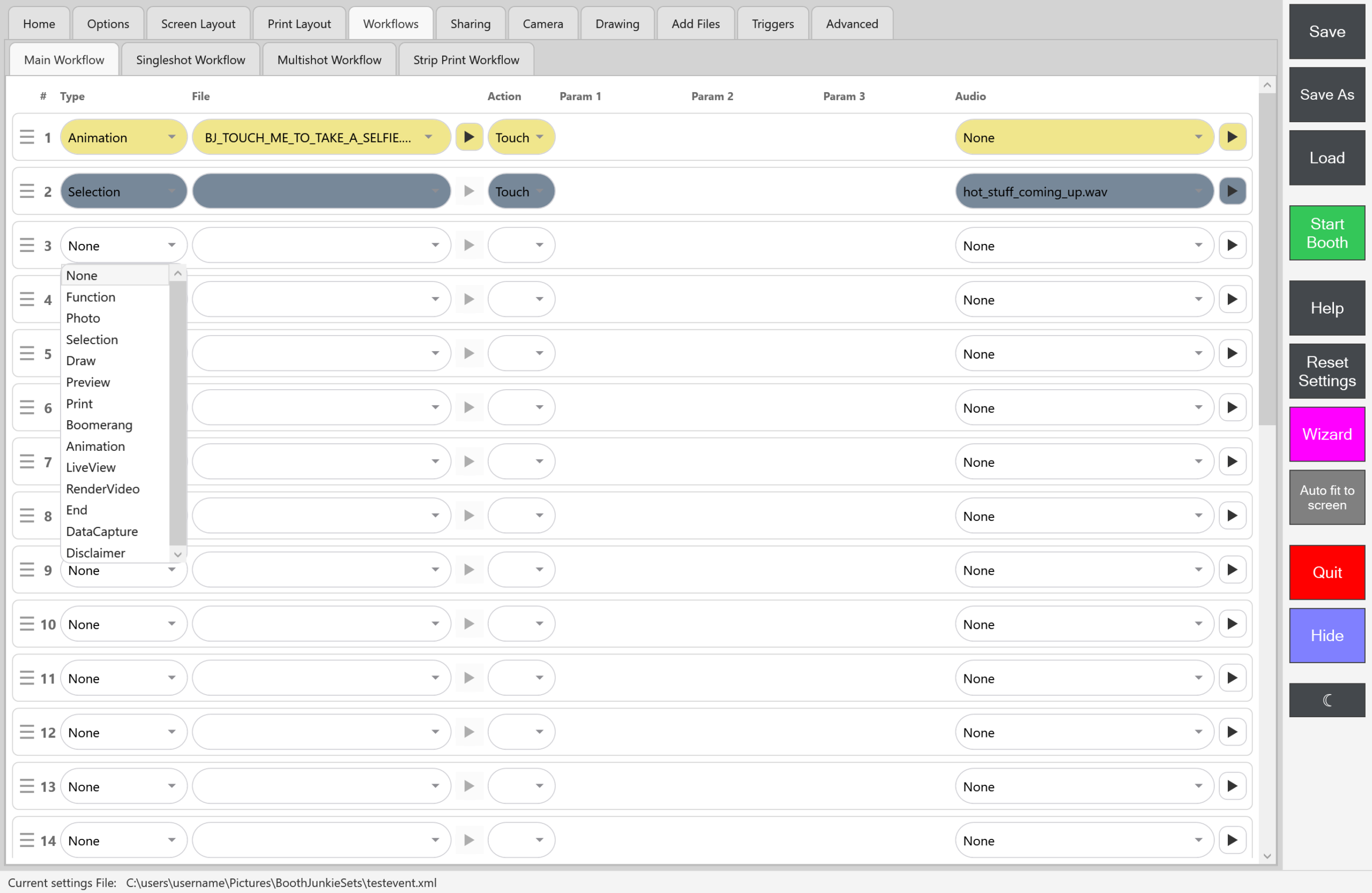
Each of the 4 tabs (Admin Panel → Workflows → Main/Singleshot/Multishot/Strip Print Workflow) uses the same editor: a fixed list of rows, each with a Type dropdown (Function, Photo, Selection, Draw, Preview, Print, Animation, LiveView, RenderVideo, End, DataCapture, Disclaimer) plus whatever File/Action/Parameter fields that type needs.
| To | Do this |
|---|---|
| Add a step | Set a blank row’s Type. There’s no explicit “add row”. |
| Remove a step | Set its Type back to blank (“None”). There’s no explicit “delete row”. |
| Reorder steps | Drag a row’s handle; everything renumbers to match. |
Good to know: A Selection row’s File is left empty
A Selection row’s File is empty and does nothing: the animation above the shot-type buttons is chosen on the Screen Layout tab instead – see The Selection Step.
Very few safety checks
Important: Check your sequence yourself
Nothing stops you from saving a workflow that doesn’t make sense – a Photo step with no Selection before it, or no End step at all. There’s no validation before saving, so it’s worth manually checking your sequence makes sense rather than assuming the app will catch a mistake.
The one thing the tab does point out is a Photo step whose AI prompt uses a token, such as {NAME}, before a Data Capture step has asked for it, or a token no Data Capture step uses at all. An amber note appears under that row saying so. It’s only a warning – saving still goes ahead.
A question in Main Workflow counts as asked first for every shot-type workflow, because Main Workflow always runs first.