
The Ready-made page
The Ready-made page has three workflows that come with Booth Junkie. You can load them with any licence, and without an internet connection.
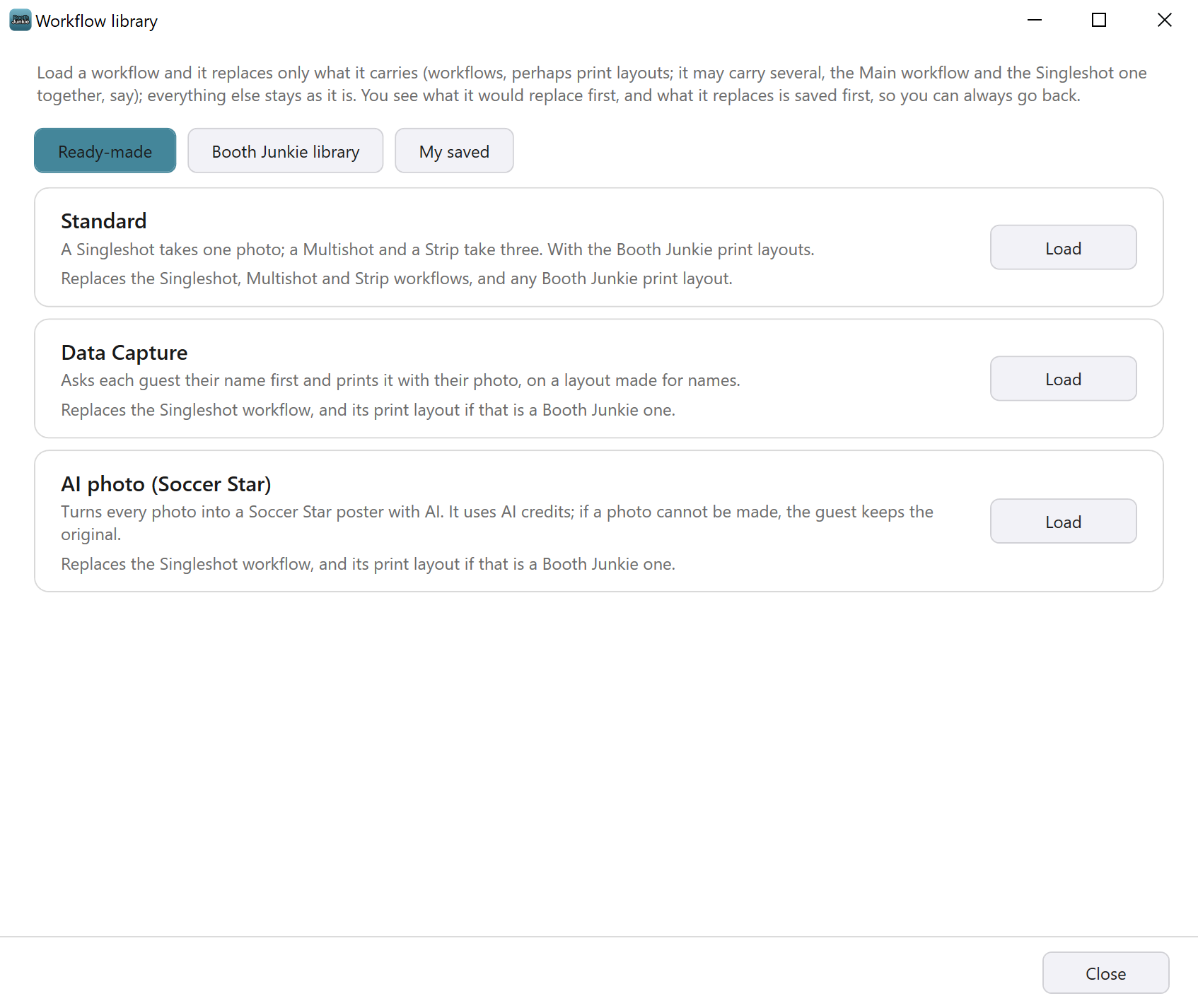
| Workflow | What it does | What it replaces |
|---|---|---|
| Standard | A Singleshot takes one photo; a Multishot and a Strip take three. With the Booth Junkie print layouts. | The Singleshot, Multishot and Strip workflows, and any Booth Junkie print layout. |
| Data Capture | Asks each guest their name first and prints it with their photo, on a layout made for names. | The Singleshot workflow, and its print layout if that is a Booth Junkie one. |
| AI photo (Soccer Star) | Turns every photo into a Soccer Star poster with AI. It uses AI credits; if a photo cannot be made, the guest keeps the original. | The Singleshot workflow, and its print layout if that is a Booth Junkie one. |
A ready-made workflow never changes the Main Workflow.
A ready-made workflow only puts its print layout in where there is none yet, or where the one there is still a Booth Junkie one, built on Booth Junkie’s own pictures. That includes a Booth Junkie print layout whose text you’ve changed or whose photo windows you’ve moved, and the Before copy doesn’t keep it. A print layout with a picture of your own on it, or one you installed from the Template Library, is never replaced (see Using the Template Library). Where it does put a print layout in, it picks the portrait or landscape version to suit your camera’s rotation.
Data Capture and your own print layout
Data Capture puts the question “What’s your name?” first in the Singleshot workflow, and the guest must answer it. The answer prints wherever the Singleshot print layout has {NAME} in a Text element.
If your Singleshot print layout has a picture of your own on it, or came from the Template Library, Data Capture keeps it. If that layout has no {NAME}, the window says so after the load, under A few things to check: the guest’s name is not on the Singleshot print layout yet. To fix it, go to Admin Panel → Print Layout → Single Shot and type {NAME} into a Text element.
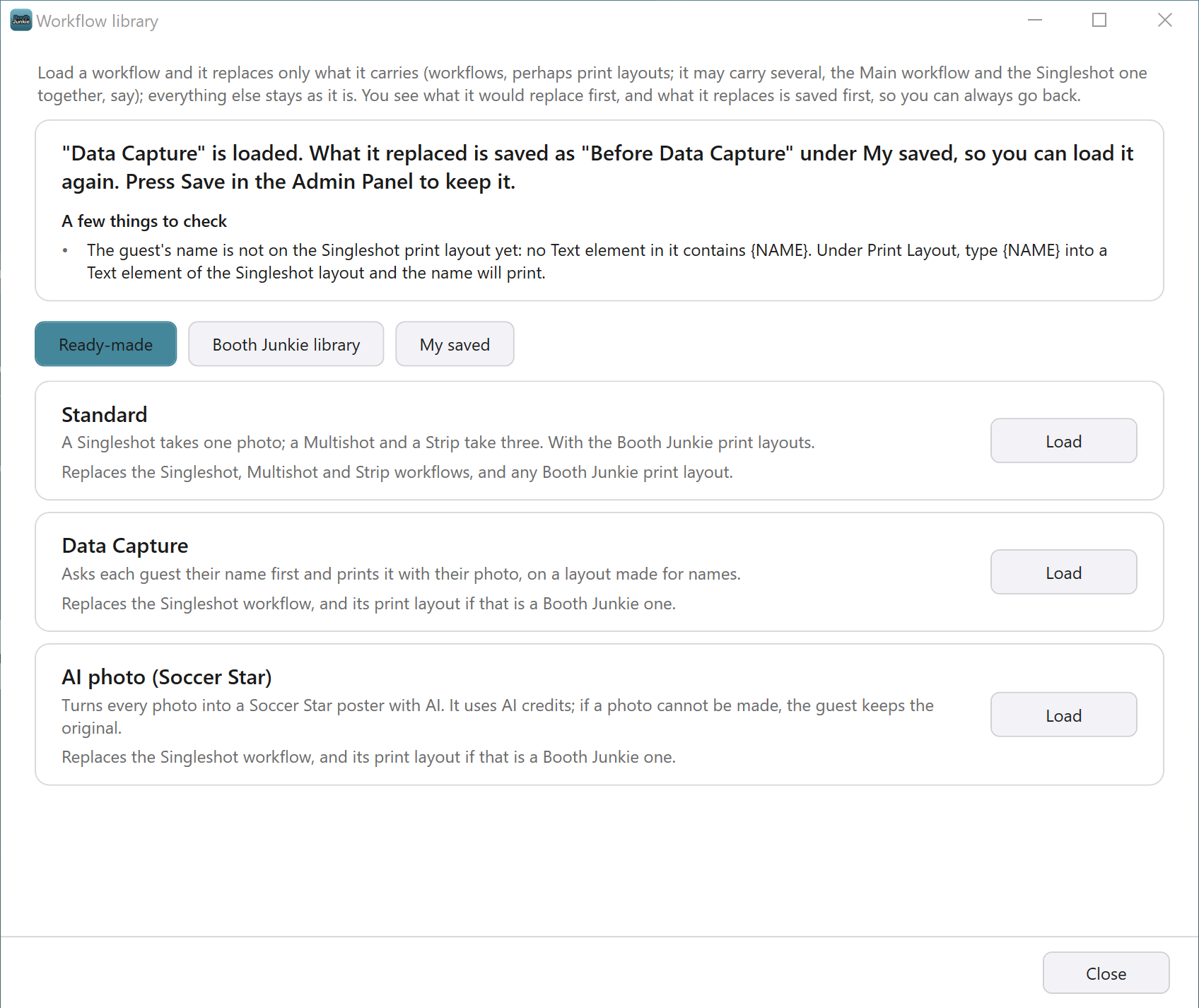
See Using a Guest’s Name in Prints, Messages and AI Prompts and Adding a Data Capture Step: Asking Guests a Question.
AI photo (Soccer Star)
AI photo (Soccer Star) is the standard Singleshot workflow with its Photo step set to AI Processing, in the Style Library’s Soccer Star style. Each guest’s photo is sent to Booth Junkie’s AI service and comes back as a Soccer Star poster. Every photo uses AI credits.
The booth needs an internet connection while guests use it. Bring your own, such as a mobile hotspot. If a photo can’t be made, the guest keeps their original photo.
Tip: Choose another style
After loading the workflow, press Configure… on the Photo row of the Singleshot Workflow tab. The Configure AI Processing window opens, where you can choose another style or write your own prompt.
See Using AI Processing: Your Own Prompt or the Style Library and How the AI Credit System Works.
Premium: The AI step needs an active Premium
The workflow’s AI Processing step needs an active Premium, and AI credits for each photo. Every Lifetime Licence includes 12 months of Premium, and you can renew it at any time from Your Licences on your account Dashboard (see Your Licences: Machine Status, Renewals, and Remote Control).
To load one, see Loading a Workflow: the Preview, Load it and Save.
Related articles
- How the Workflow Library Works: Ready-Made, Booth Junkie and Your Own Workflows
- Loading a Workflow: the Preview, Load it and Save
- The Before Copy: Going Back After Loading a Workflow
- Adding a Data Capture Step: Asking Guests a Question
- Using a Guest’s Name in Prints, Messages and AI Prompts
- Using AI Processing: Your Own Prompt or the Style Library
- How the AI Credit System Works
- What Needs an Active Premium?
This guide is from Booth Junkie, photo booth software for Windows that has supplied the photo booth industry for 10 years. It runs enclosed booths, selfie pods and magic mirror booths with a Canon DSLR or a webcam, prints to any Windows printer, and sends photos to guests by WhatsApp, SMS and email.